Free Tool
CMMC Level 2 readiness scan
Estimate your SPRS score in Excel. No cost, and nothing leaves your computer.
What it is
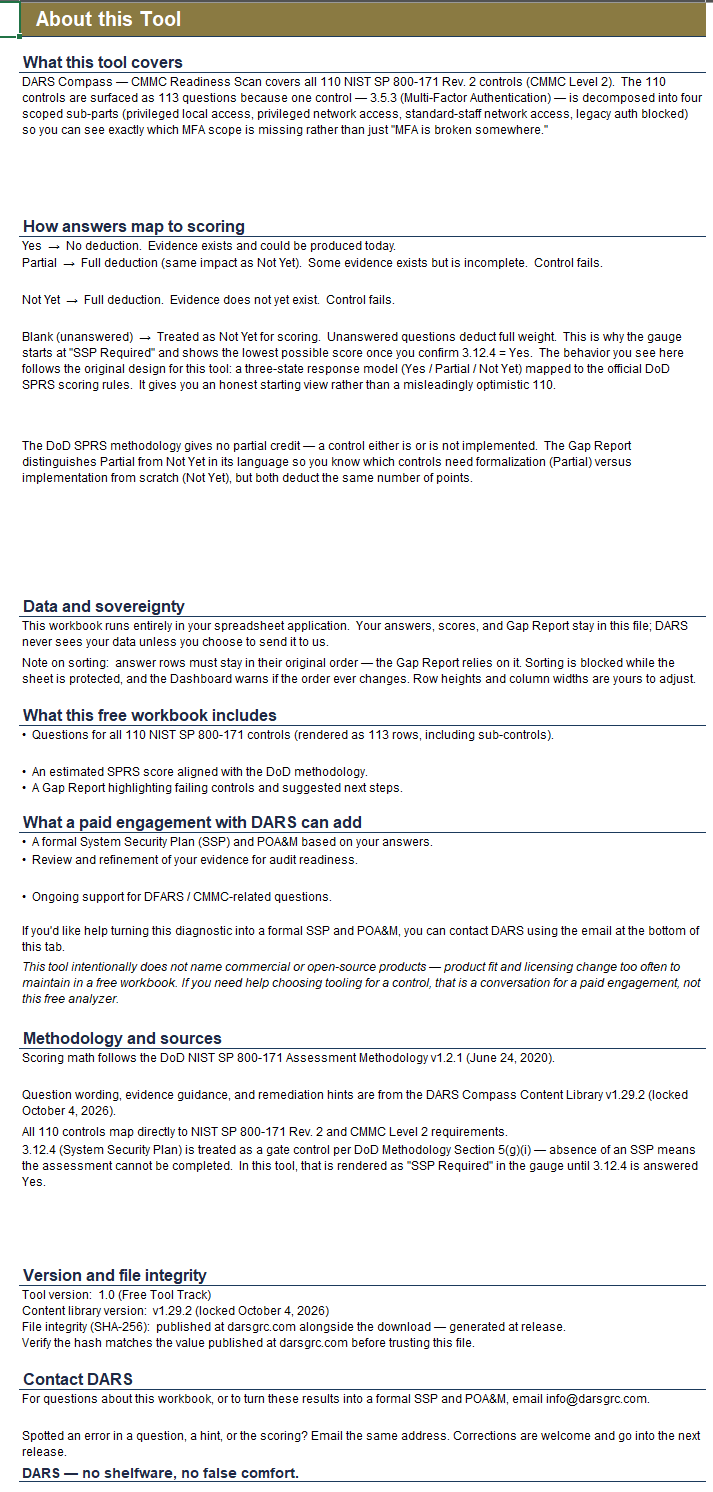
DARS Compass walks you through all 110 NIST SP 800-171 Rev. 2 controls, the requirements behind CMMC Level 2. You get 113 questions instead of 110 because one control, 3.5.3 on multi-factor authentication, is split into four parts: privileged local access, privileged network access, standard staff access, and blocked legacy authentication. That way you see which scope is missing, not just that "MFA is broken somewhere."
What you get
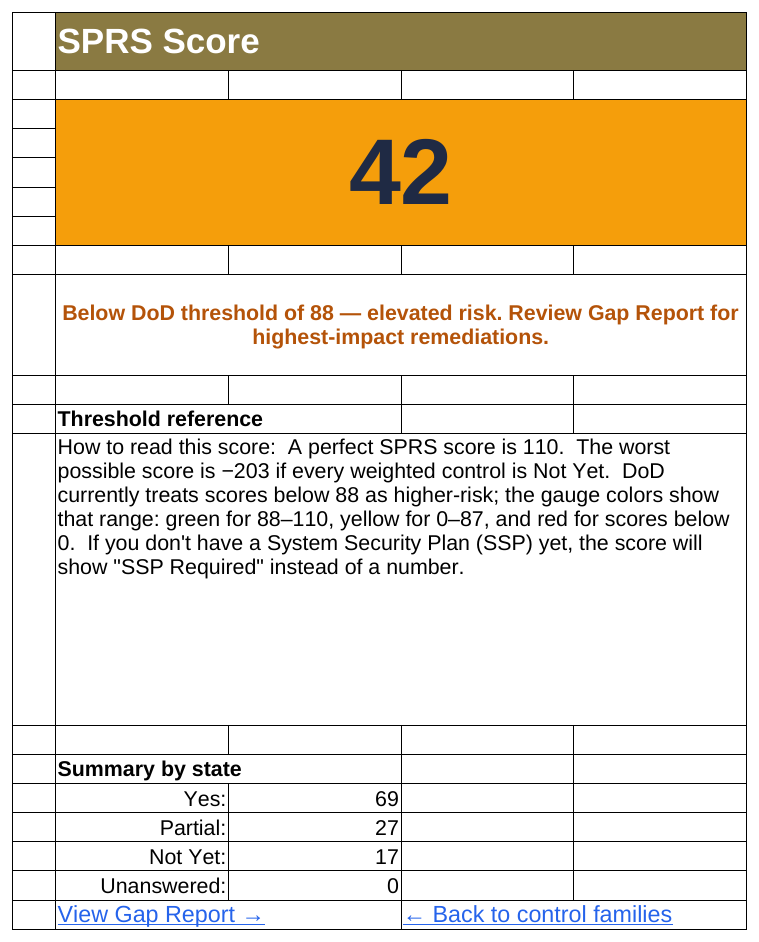
- An estimated SPRS score, worked out with the DoD Assessment Methodology v1.2.1.
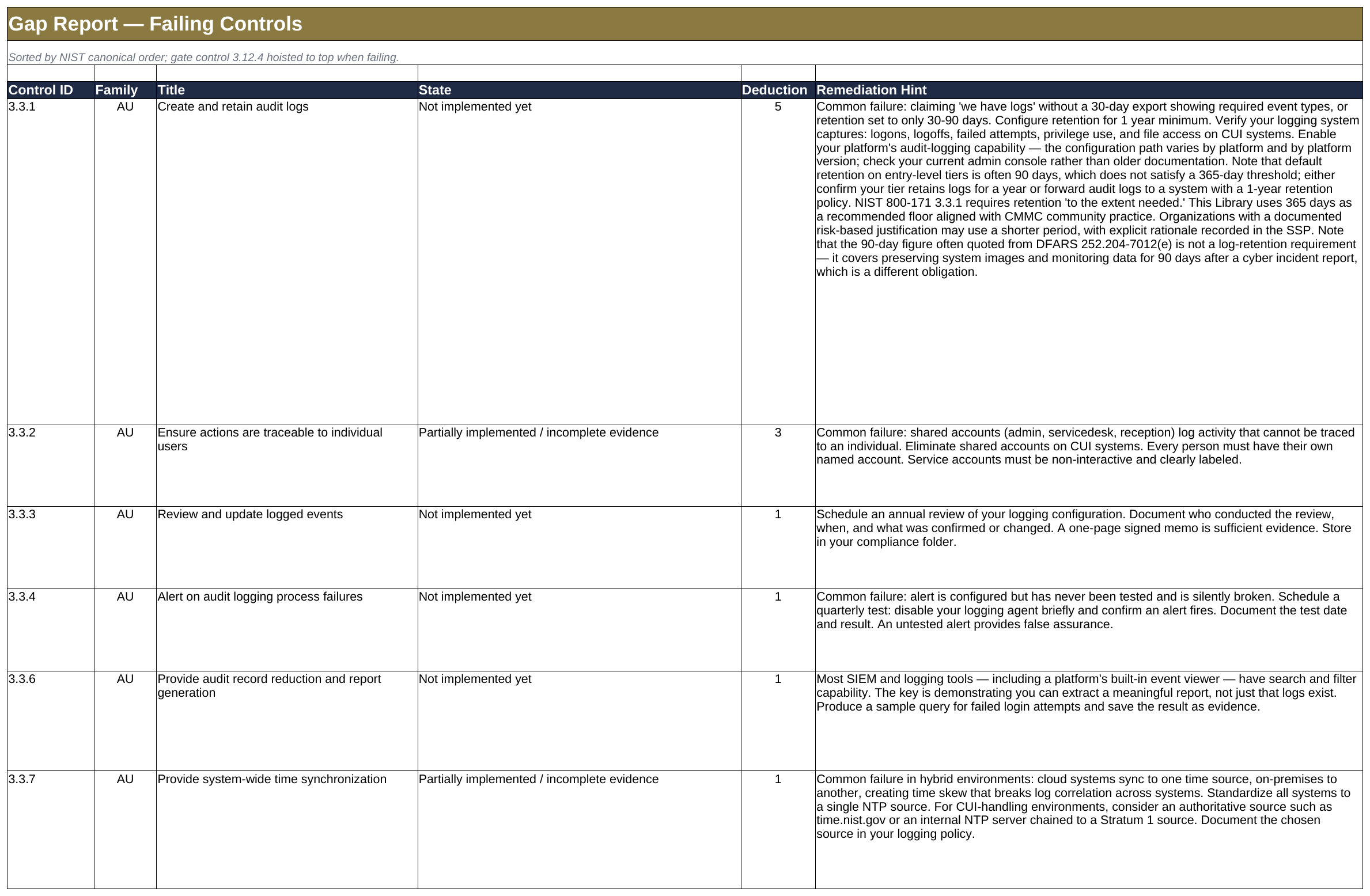
- A Gap Report that lists every failing control with a plain-English next step.
- The point cost beside each failing control, listed in NIST order, so you can spot the five-pointers.
How it works
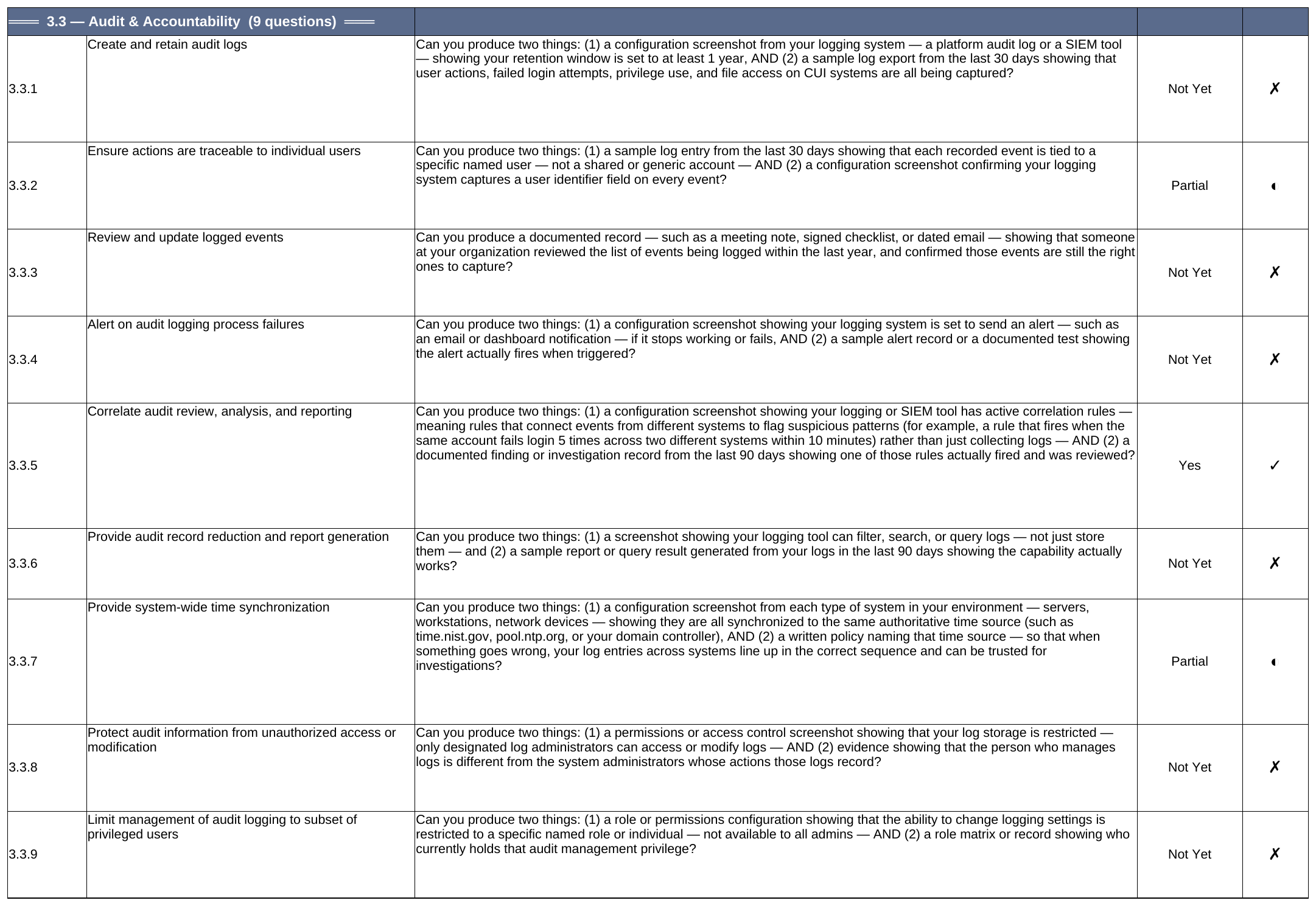
Answer Yes, Partial or Not Yet for each question. Say Yes only if you could hand an auditor the evidence today. For almost every control, DoD scoring gives no partial credit, so Partial and Not Yet cost the same points. The Gap Report still tells them apart: Partial means formalize what you have, Not Yet means build it from scratch. Two controls are the exception: MFA (3.5.3) and FIPS-validated encryption (3.13.11) cost 3 points instead of 5 when they're partly in place. Compass doesn't model that, so if either is partly in place, your Compass score can run up to 2 points lower for each than an official score.
A perfect score is 110. Under the CMMC rule, 88 (80%) is the minimum for conditional Level 2 status, and only certain controls can be left open on a POA&M. Unanswered questions count as Not Yet, so the workbook shows "SSP Required" until you confirm you have a System Security Plan (control 3.12.4), then shows the lowest possible score. It's an honest starting point, not a flattering one.
What it is not
This is an estimate for planning. It is not an assessment, not a C3PAO result, and it certifies nothing. It also doesn't recommend products. Tooling changes too fast for a free workbook to keep up, and choosing tools is a conversation for a paid engagement.
Your data stays with you
The workbook runs entirely in Excel on your machine. Nothing is uploaded, and DARS never sees your answers unless you choose to send them.
What you need
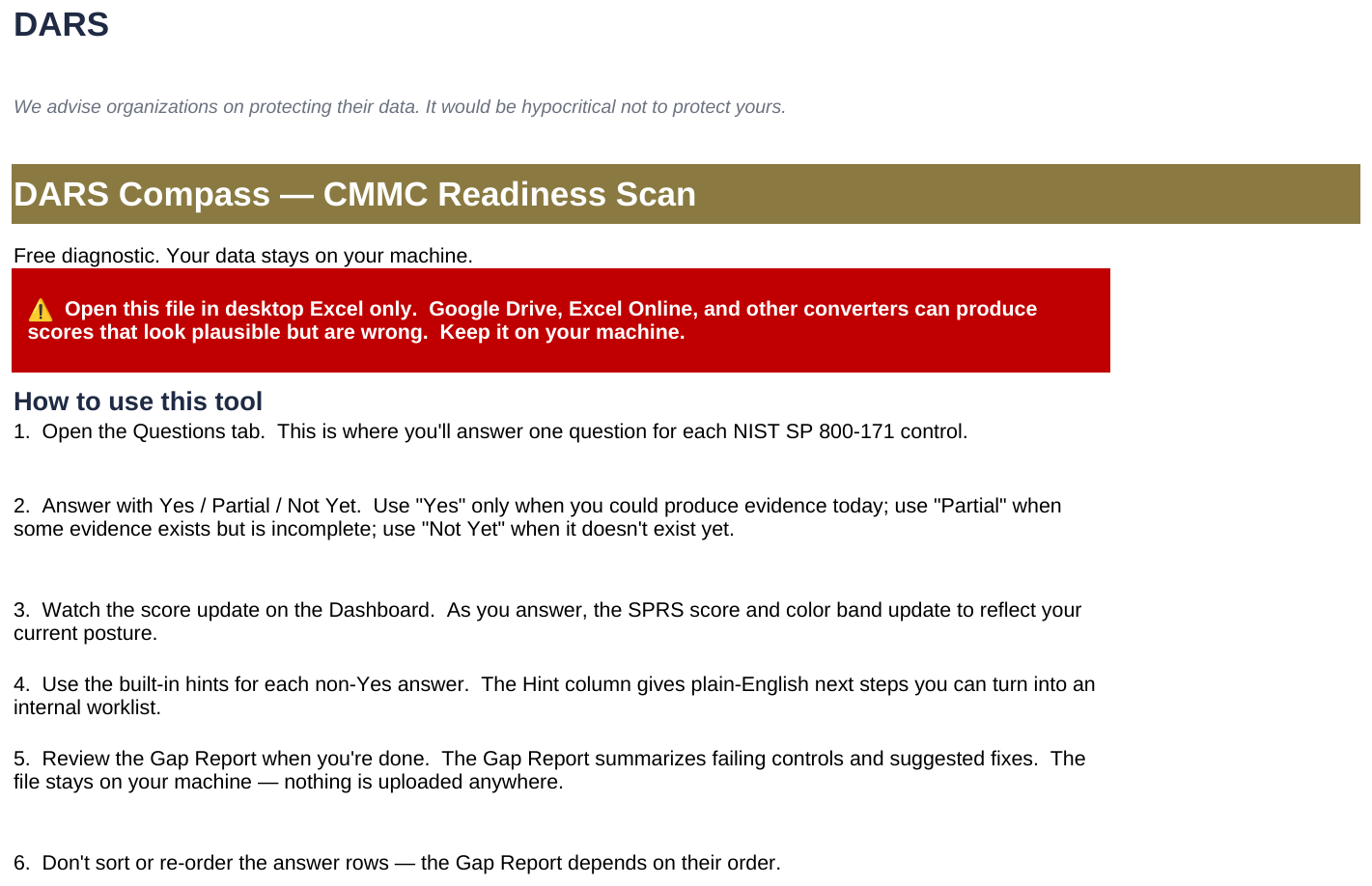
Desktop Excel on Windows. Compass is designed and tested there. Google Drive, Excel Online and other converters can show scores that look right and are wrong, so keep the file on your machine. Don't sort or reorder the answer rows, because the Gap Report depends on their order.
Download
DARS_Compass_CMMC_Readiness_Scan_v1.0.xlsx
One Excel file, about 97 KB (99,120 bytes).
Frequently asked questions
QWhat is an SPRS score?
It is the score DoD contractors report in the Supplier Performance Risk System to show how well they have implemented NIST SP 800-171. It runs from 110 down to −203.
QWhy 113 questions for 110 controls?
Control 3.5.3 is split into four scoped questions so you can see exactly which part of MFA is missing.
QWhy does Partial score the same as Not Yet?
Almost every control in the DoD method is all or nothing, and Compass treats every Partial as Not Yet. The two exceptions, MFA (3.5.3) and FIPS-validated encryption (3.13.11), lose 3 points instead of 5 when partly in place. Compass doesn't model those, so it can show your score slightly lower than the official method would.
QWhat does "SSP Required" mean?
Without a System Security Plan (control 3.12.4) the assessment can't be completed, so the workbook won't show a number until you confirm you have one.
QCan I use it on a Mac?
We haven't tested it there, so we don't recommend it. Use desktop Excel on Windows.
QIs it really free?
Yes. The workbook is free to download and use.
Version and file check
Tool version 1.0. Content library v1.29.2 (locked October 4, 2026). File size 99,120 bytes.
SHA-256:
To check your download on Windows, open Command Prompt in your Downloads folder and run certutil -hashfile DARS_Compass_CMMC_Readiness_Scan_v1.0.xlsx SHA256. Or in PowerShell, run Get-FileHash DARS_Compass_CMMC_Readiness_Scan_v1.0.xlsx -Algorithm SHA256. Compare the result with the value above (capital or small letters, it doesn't matter). If they don't match, don't open the file, and email info@darsgrc.com.
Related reading
Tool and guide maintained by Ashwameth J Ravilla, CISSP, CISA, CDPSE, CMMC RP (CPN 72949) · Last updated October 2026.
Want help with the next step?
If you want a formal System Security Plan and POA&M built from your answers, a review of your evidence for audit readiness, or ongoing help with DFARS and CMMC questions, contact DARS.
Contact DARS